Features Ten ways Helper Helper helps
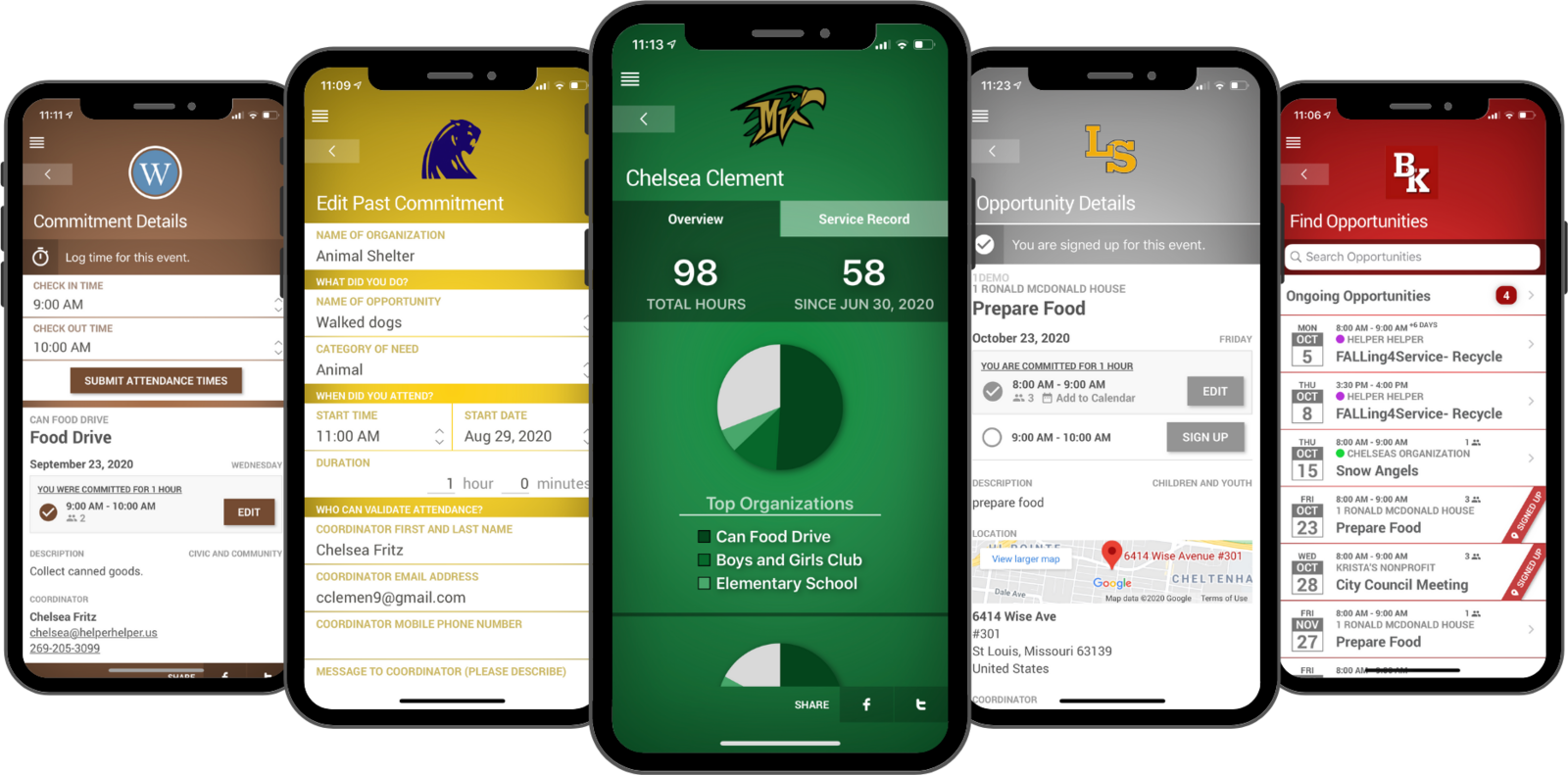
Custom Branded Mobile Apps
Custom-branded native apps for iPhone and Android, plus a full web application, all featuring your school's logo, colors, and identity.
- Native iPhone and Android apps plus a full web app
- Your school's logo, colors, and identity throughout
- Included with every school's subscription
Explore Custom Branded Mobile Apps“My students struggled with x2VOL, finding it so difficult to navigate that some gave up on recording their hours altogether.”
Meredith Williams, North Little Rock School District
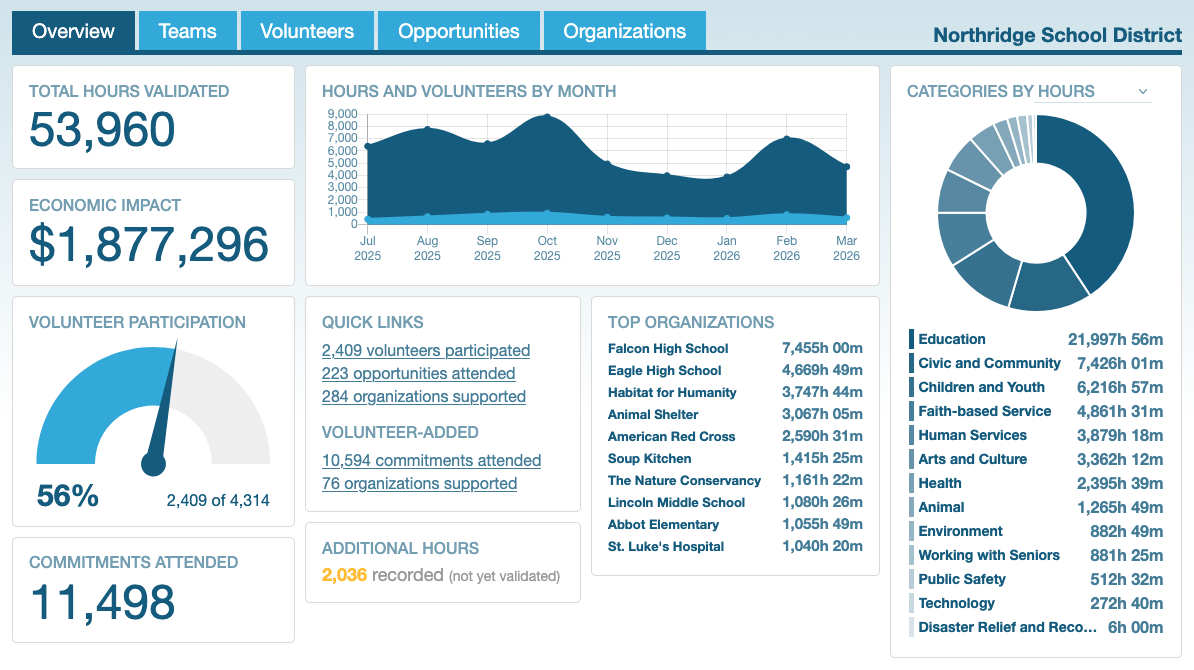
Reporting
Interactive dashboards, filterable institution reports, and detailed Excel downloads give you instant visibility into every aspect of your service program.
- Live dashboards and filterable institution reports
- Detailed Excel downloads of every data point
- Economic impact totals and an embeddable public dashboard
Explore Reporting“One feature that we find informative is the Detailed Institution Report. This is our “one-stop shop” to see the big picture.”
Jim Campbell, Bishop DuBourg High School
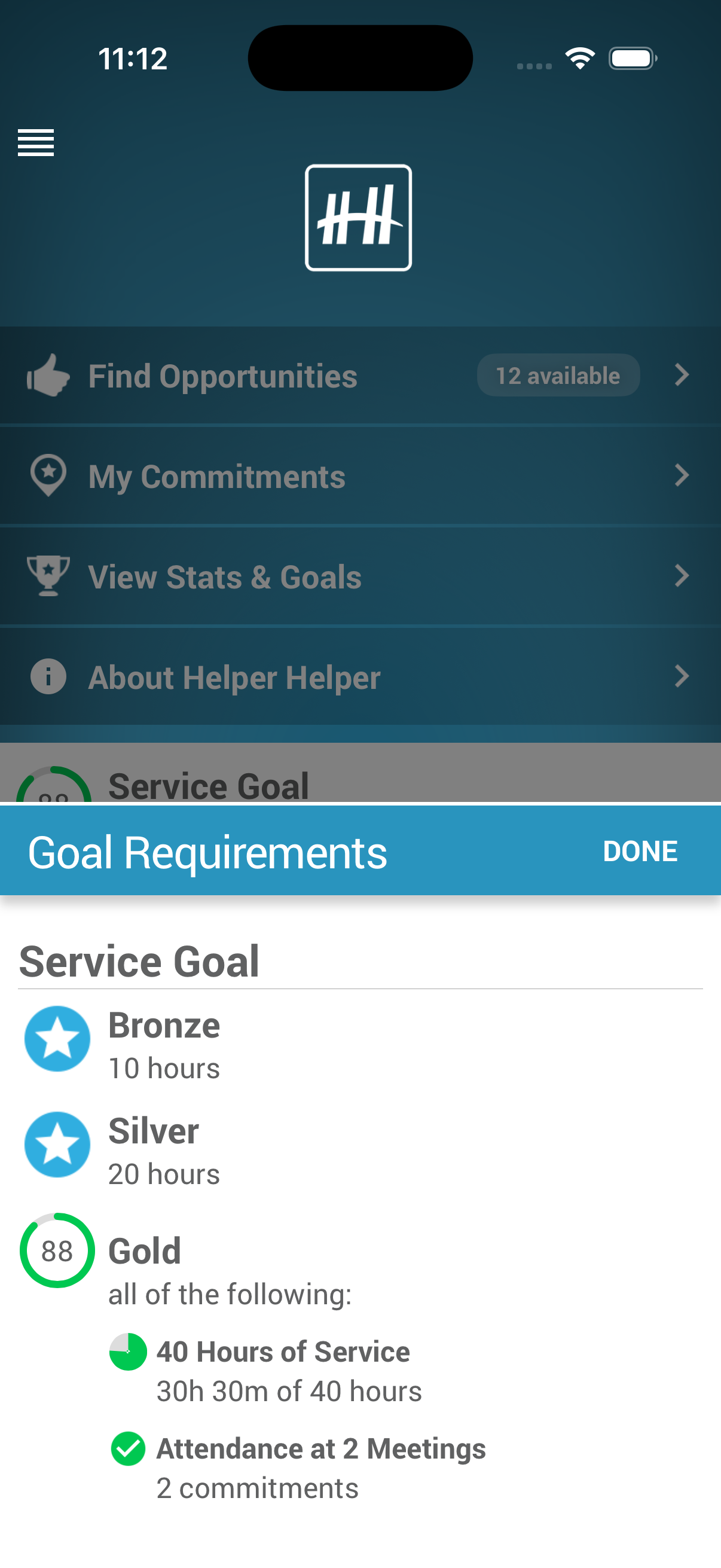

Goals & Requirements
Set custom service hour goals for graduation requirements, honor societies, and awards. Students track their own progress in real time.
- Graduation, honor society, and award goals with tiered recognition
- Filter by date, category, or survey response and cap category hours
- Progress updates the moment an hour is approved
Explore Goals & Requirements“I really love the goals feature in
Kate Dusto, Arapahoe High SchoolHelper Helper . It does all the work of keeping track of students’ progress, particularly when we differentiate between “NHS-sponsored hours” and “outside hours.” I love that the app shows students their progress in real time so I don’t have to chase them down with…”
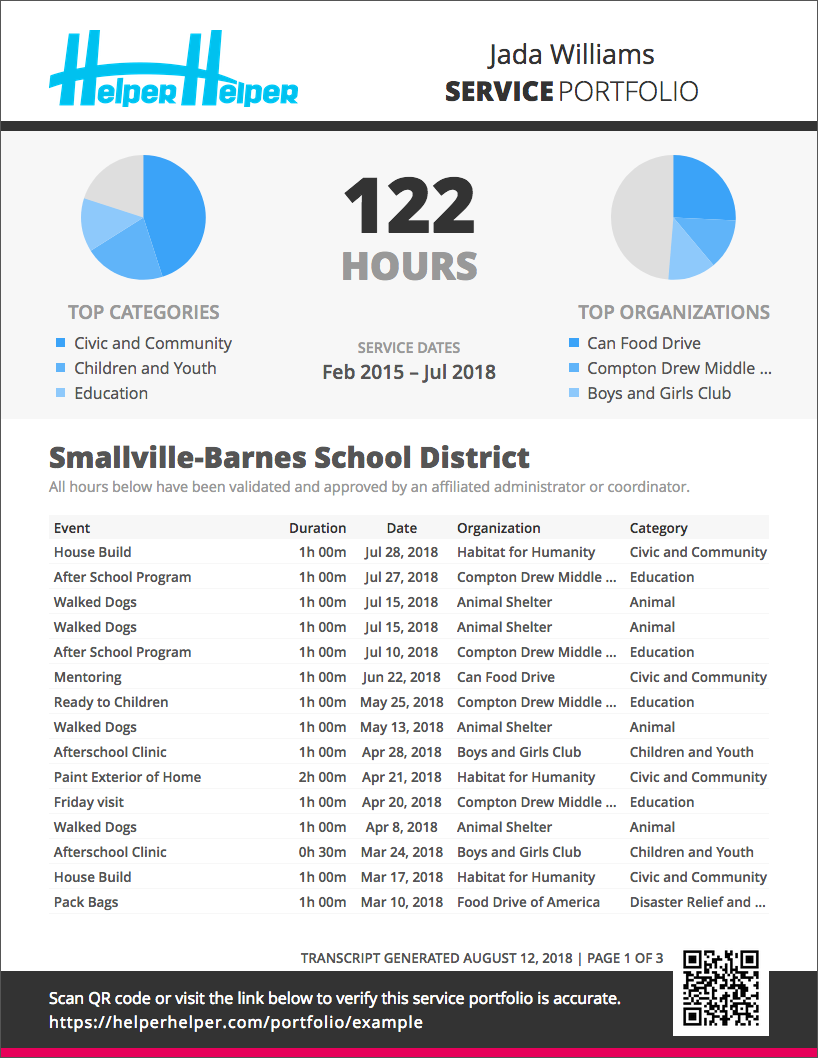
Service Portfolios & Transcripts
Your students will stand out with certified, tamper-proof volunteer portfolios they can share directly with admissions offices, scholarship committees, and employers.
- Tamper-proof, with a QR code and link that verify the document
- Students request and share it straight from the app
- Branded for your school
Explore Service Portfolios & Transcripts“This year, when they started talking about what to put on their resumes, several students in each class automatically went to
Maxine Areida, Health Careers AcademyHelper Helper to see what things they have volunteered for so that they could put it on their resumes!”
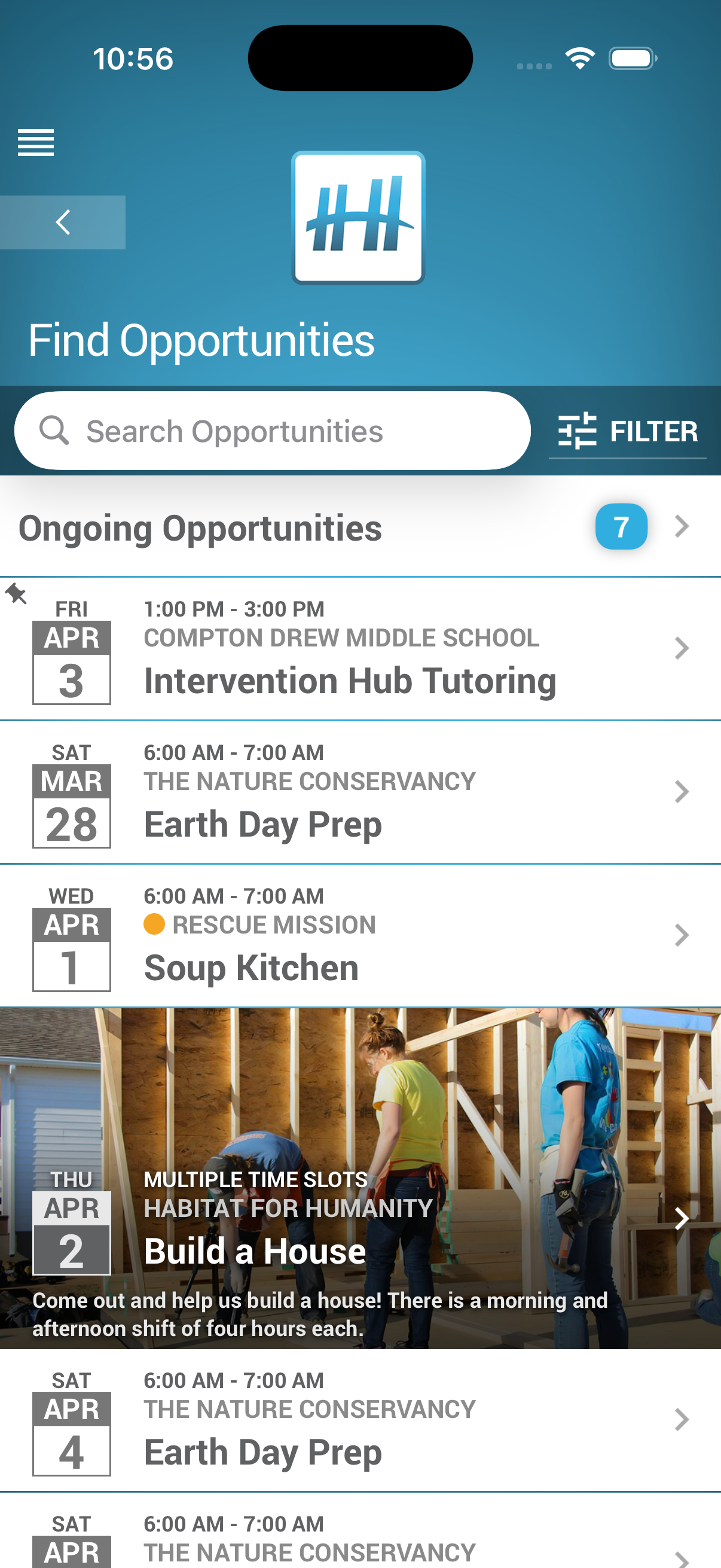
Customize Events
Build events your way with flexible scheduling, custom categories, file attachments, and dozens of options to match how your program works.
- Multiple time slots and recurring dates from one setup
- Waiting lists, capacity limits, and linked sign-ups
- Custom categories, featured images, and file attachments
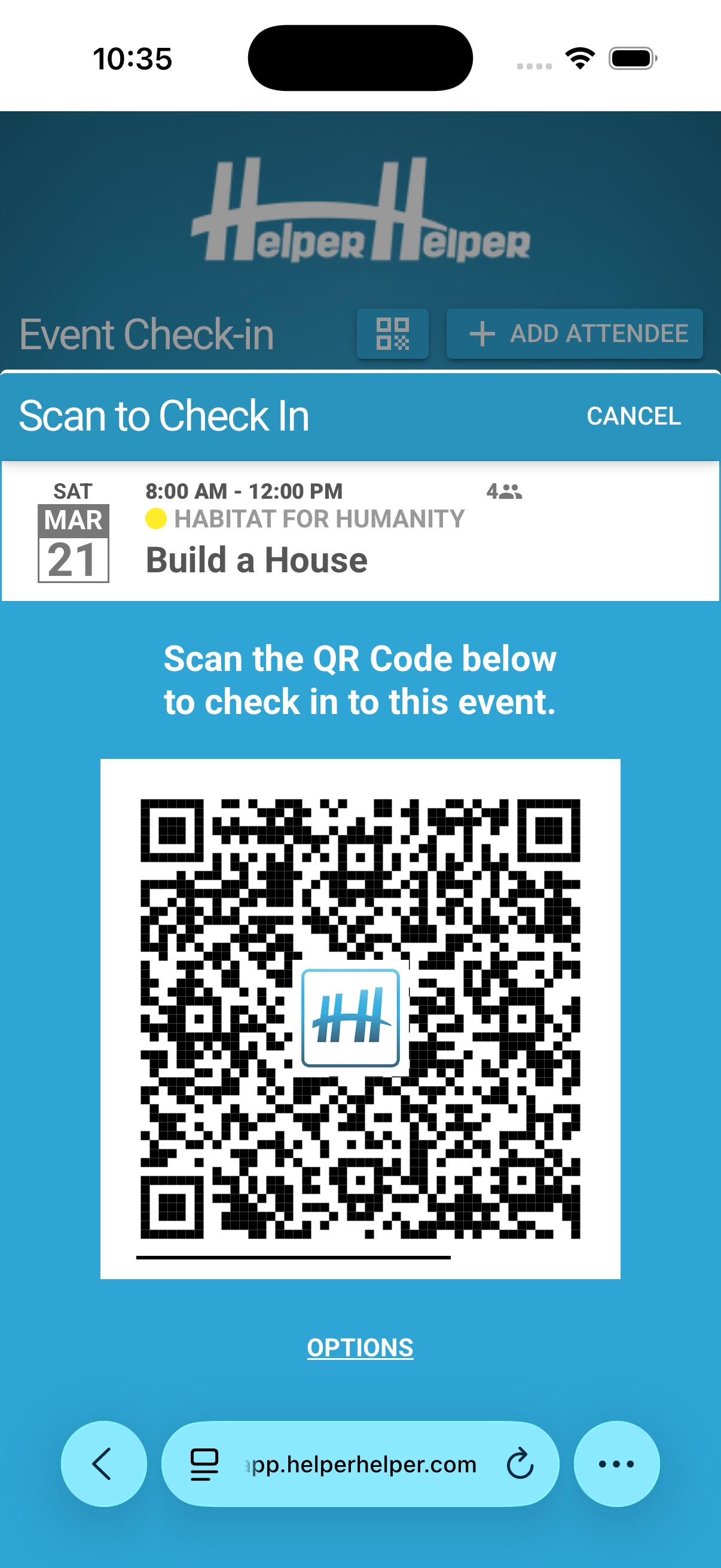
Attendance Validation
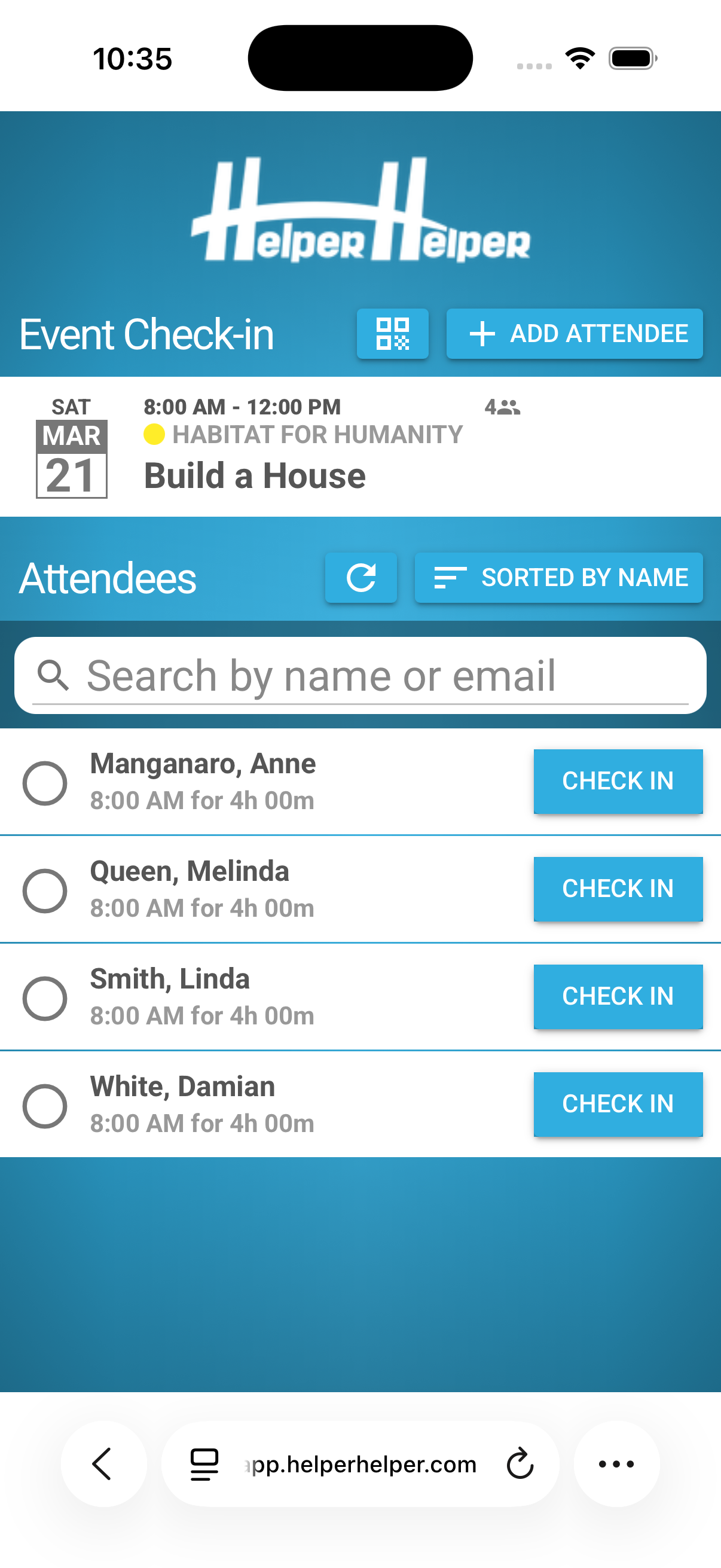
QR codes, validation keys, external coordinator approval, coordinator check-in kiosks, and coordinator signatures ensure every volunteer hour is accurate and verified.
- QR codes and validation keys at the event
- Coordinator check-in links and on-screen signatures
- Third-party approval by email or text for self-reported hours
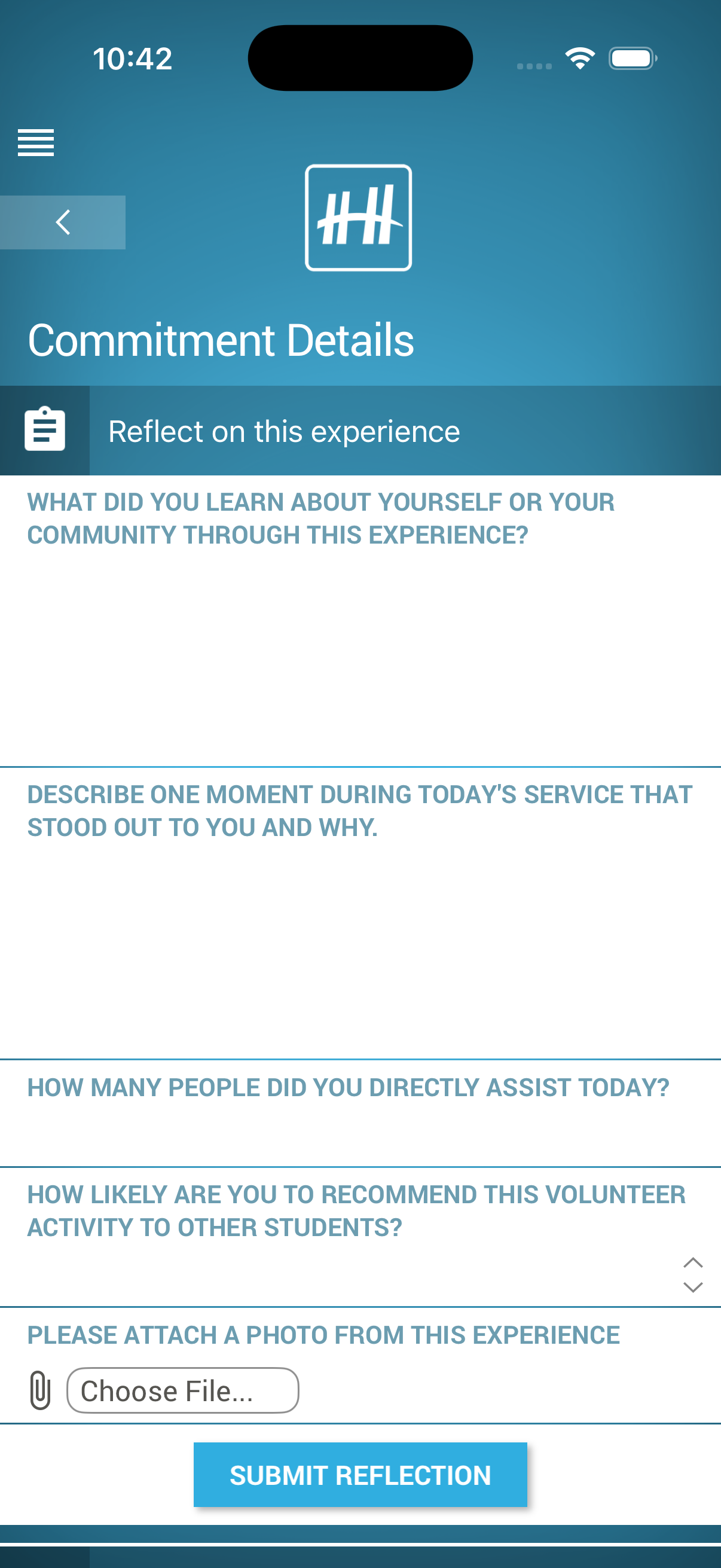
Service Learning
Attach customizable surveys and reflections to every volunteer activity, aligning community service with your curriculum objectives.
- Multiple-choice, open-ended, and file upload questions on any event
- Reflections appear on students' phones after each activity
- Responses aligned to your curriculum objectives
Explore Service Learning“The reflection component has been especially impactful. Whether they are serving locally or on international mission trips, logging and reflecting on their hours gives students a tangible sense of purpose and contribution.”
Elizabeth Noriega, Virginia Academy
Messaging & Automated Reminders
Automatic reminders go out before and after every event, and the Message Center reaches any student, team, or group by push notification, email, or text.
- Automatic reminders before and after every event
- Reach any student, team, or group from the Message Center
- Push notification, email, or text message
Explore Messaging & Automated Reminders“We can send push notifications for mass messaging, get immediate reporting, track service hours, and basically everything is now in one place.”
Gabi Salomon, The GreenMount School
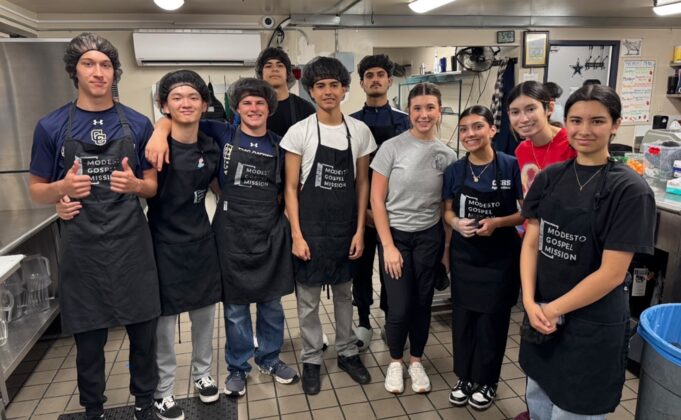
Photo Uploads
Students can upload photos documenting their volunteer activities. Use them in school newsletters, social media posts, yearbooks, portfolios, and more!
- Students attach photos to the service they log
- Ready-made content for newsletters, social media, and yearbooks
- One more way to confirm a service claim
Explore Photo Uploads“Photos can help prove/disprove someone's service claim and they are great to have to share on school/district social media.”
Meredith Williams, North Little Rock School District
Admin Roles & Partner Access
Four scoped admin roles plus free partner accounts let coordinators, advisors, principals, and community partners each do their part without handing over the keys.
- Four scoped admin roles
- Free accounts for community partners
- View-only mode for any account
Explore Admin Roles & Partner Access“One pleasant surprise has been how much our community partners appreciate the system. Once opportunities are posted, students can sign up easily, and we use QR codes to validate and check in volunteers.”
Brooke Mulroy, Hamilton Southeastern Schools
HECVAT-assessed, FERPA-compliant, encrypted in-transit and at-rest, hosted on AWS infrastructure.
This designation benefits both parties: for your school or district, it means you can deploy Helper Helper without the administrative burden of collecting individual parent consent for every student — the same way you onboard other essential technology platforms. For Helper Helper, it means we are held to the same strict data-handling standards as your own employees, giving your community confidence that student records are protected by the full weight of federal privacy law.
The FTC provides guidance confirming that schools may consent on behalf of parents in the educational context under COPPA. Please request to see our Notice of Data Practices for Children Under 13 and our Privacy Policy for further details.
The HECVAT was developed by the higher education community (EDUCAUSE) and is widely used by colleges and universities to assess the IT security, data protection, and privacy practices of third-party software vendors before adoption. While originally designed for higher ed, its comprehensive framework is equally valuable for K–12 schools and districts looking for a rigorous, standardized way to evaluate whether a vendor meets their security and compliance requirements.
AWS operates the most widely adopted and trusted cloud infrastructure in the world, with security practices that meet or exceed the requirements of federal agencies, financial institutions, and healthcare providers. Their data centers are protected by 24/7 on-site security, biometric access controls, redundant power and networking, and continuous monitoring.
AWS is independently audited against the most rigorous standards in the industry — including SOC 1, SOC 2, SOC 3, ISO 27001, FedRAMP, and PCI DSS — and provides industry-leading uptime guarantees backed by a 99.99% service-level agreement. This means your school can count on Helper Helper being available when students and advisors need it.
Administrators can be scoped to specific groups, schools, grade levels, or graduating classes — an NHS advisor sees only their NHS members, a school principal sees only their school, and a district coordinator sees the full district.
Outside community partners receive organization admin roles that let them post their own volunteer opportunities, manage sign-ups, and confirm attendance for events they host, without any visibility into student records, other organizations’ events, or school-internal data.